

Maintaining employee attendance tracking might seem easy for startups. But the same things become challenging as your team grows. It’s one thing to track attendance with a register or spreadsheet when everyone works in one location. This gets complicated when team members work in different places, visit client sites, work remotely from home, or follow different shifts.
Your HR team needs to manage working hours, leave (including WFH), track overtime, and prepare attendance reports. What about managers wanting to check if their field personnel reached the designated site? Employees want to understand how their attendance looks and request leave accordingly.
If that’s you, then an employee attendance management app will come to your rescue. But how do I choose one?
It’s easy to fall into the trap of thinking all you need is a simple app with buttons for ‘clock-in’ and ‘clock-out’. But a good app has to meet your needs depending on what kind of business you run.
For example, maybe all you need is basic attendance tracking. Or perhaps you need to manage leaves, track WFH, keep records of site visits, assign tasks, receive employee requests, communicate with them, etc., from within one platform.
But how to select the right one?
Let’s discuss some of its features that every business must check before choosing the platform.
What Is an Employee Attendance Management App?
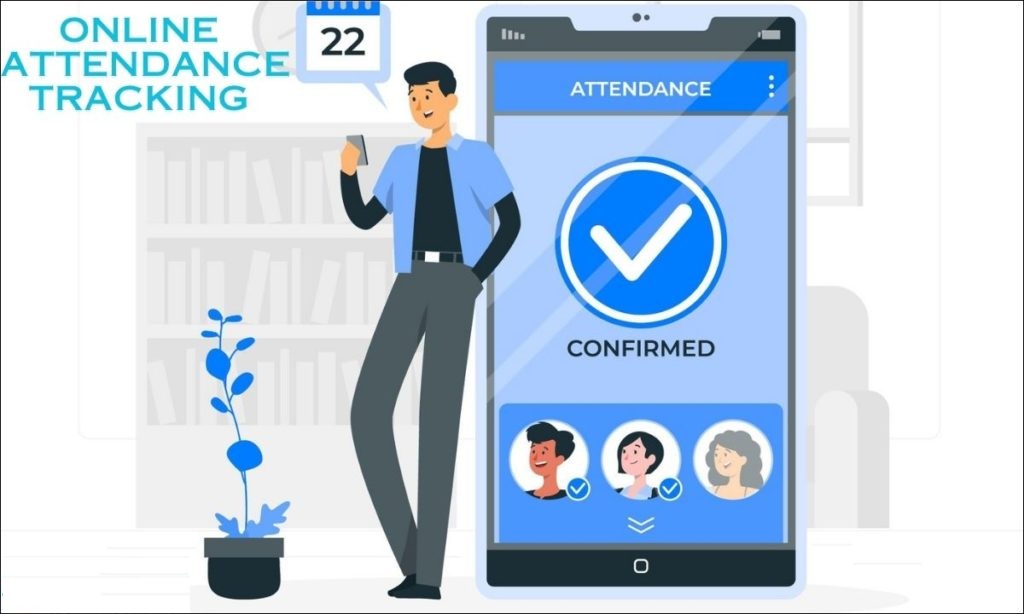
An employee attendance management app is a digital solution used by businesses to maintain the details of an employee’s attendance.
With this application, employees are able to keep track of their attendance by marking it against the schedule set for them, keeping track of their working hours, managing their break times, etc., while employers get to know about their workforce attendance using various tools provided within such apps.
Moreover, these platforms allow businesses to handle other aspects related to their staff members’ presence at work, including their leaves, WFHs, Requests, Reports & Field Activities. This is a stark contrast to doing it manually in Registers or Spreadsheets.
Another advantage is that instead of having HR collect info about employees’ attendance from multiple sources, all the data is maintained on this one system. So managers have instant access to the information they need without having to wait for someone to update things manually.
An employee attendance management system must be easy for employees to use as well. For example, if you need to mark your attendance with many steps involved, then the system would become a source of daily frustrations for them.
Why Businesses in India Are Moving to Attendance Apps
The way people work has changed.
Many businesses now have a mix of office employees, remote workers, sales teams, service staff, and field employees. These employees may not follow the same work routine.
An employee sitting in an office may only need to mark attendance at the start and end of the day. A sales employee may spend most of the day visiting customers. A service engineer may move between several sites. Another employee may work from home.
Trying to manage all of this through a spreadsheet can become messy.
An employee attendance tracking app in India gives businesses a central system for handling these different work arrangements.
It can also reduce routine HR work. Instead of manually calculating attendance, collecting leave information, and preparing reports, HR teams can access the information directly through the system.
The right app should make attendance easier for both sides:
Employees get a simple way to manage their work information, while managers and HR get better visibility.
10 Features to Look for in an Employee Attendance Management App
Not every business needs the same features. However, there are some areas worth checking before choosing an attendance solution.
1. Easy Clock-In and Clock-Out
First things first – this is the basic stuff that we have to check for.
So employees will have to mark their presence without going through an elaborate process.
They should see if they’re already clocked in, how many hours of work they’ve done,
the timing of shifts, and at which point they could clock out.
Also, it helps to track when someone began a break and when it ended.
To make that work, the app needs a simple screen. An employee should be able to see their current attendance state right away. It should take only a few seconds after they open the app.
2. Location-Based Attendance
Location can be important when employees do not always work from the same place.
A business may want attendance to be connected to a particular office or approved work location. This can give managers more control over where attendance is recorded.
It becomes even more useful for teams that spend time outside the office.
However, businesses should understand exactly how location features work before choosing an app. Check what information is collected, how it is used, and what control administrators have over location settings.
3. Site Visit and Journey Tracking
This is one feature that office-focused attendance apps often overlook.
Consider a sales employee who has three client meetings in one day. Simply knowing that the employee marked attendance does not tell the manager much about their actual workday.
A field employee may need to visit several sites, and the business may need a record of planned and completed visits.
A more complete employee attendance tracking system can connect attendance with field activity.
For example, the employee dashboard can show:
- Planned site visits
- Completed visits
- Missed visits
- Today’s journey
- Map view
- Distance or kilometres travelled
- Route information
This gives managers a better view of field activity without asking employees to maintain separate records.
It can be especially useful for sales, service, inspection, delivery, and other teams that spend a large part of their working day travelling.
4. Leave Management
Attendance and leave are closely connected.
If employees have to use one system for attendance and another for leave, HR may have to keep checking information across different platforms.
A better approach is to have leave management within the same system.
Employees can submit leave requests and view their leave information. On other hand, managers can review requests and keep attendance records updated.
When comparing employee attendance tracking management software, check whether the leave process is simple for both employees and managers.
5. Work-From-Home Management
WFH has created another area that businesses need to track.
An employee working from home should not have to explain their work arrangement through a separate email or message every time. A proper system can provide a dedicated WFH option and keep the information alongside attendance records.
This is useful for businesses with hybrid teams because managers can see attendance and WFH information in one place.
It also reduces the need for separate spreadsheets to track who is working from the office and who is working remotely.
6. Employee Request Management
Employees regularly need to raise requests.
These could be around attendance, leave, WFH, or anything else related to your workplace.
If they’re being managed with emails, messages, or verbal conversations, there’s likely to be some confusion about what’s been raised and decided on already.
With our request management feature, you’ll have a single place where your teams can make their requests, making things much easier for HR and managers alike to keep track of and follow up.
What questions should you ask before choosing an attendance application? Don’t just ask, “Can employees mark their attendance?”
Also ask, “What happens when an employee needs help with something related to their attendance or work?”
7. Attendance Reports
Attendance data becomes useful when managers can actually understand it.
A good app should make it easy to view and generate attendance reports without requiring hours of manual work.
Depending on the system, managers may need information such as:
- Present days
- Absent days
- Leave
- Overtime
- WFH
- Break hours
- Working hours
- Attendance history
A dashboard can make this information easier to review.
For example, an employee may be able to see an attendance overview showing their present days, absences, leave, overtime, WFH days, and break hours.
For HR teams, detailed reports can make monthly attendance review much easier.
8. Task Management
Attendance tells you when an employee worked. It does not tell you what work they were expected to complete.
This is where task management can add another layer of visibility.
Managers can assign tasks and employees can keep track of their work from the same platform.
This is particularly useful for teams where attendance, field visits, and daily tasks are closely connected.
For example, a field employee may have a scheduled site visit and a task related to that visit. Keeping both within the same system can make daily work easier to organise.
9. Chat, Announcements, and Employee Updates
Employees need more than attendance records during their workday.
They also need information from the organisation.
Features such as internal chat and announcements can give businesses a direct way to share updates with employees. Birthday cards and employee announcements can also make the app more useful beyond routine attendance activities.
This may seem like a small addition, but having everyday employee information in one place can reduce dependence on multiple communication channels.
10. A Simple Employee Dashboard
The employee’s daily experience matters.
An app may have dozens of features, but employees should not have to search through complicated menus to find basic information.
A useful dashboard can bring important details together.
For example, an employee can see:
- Hours completed
- Current shift
- Break status
- Clock-in and clock-out
- Site visits
- Today’s journey
- Announcements
- Birthdays
- Leave
- WFH
- Requests
- Attendance overview
- Reports
This type of dashboard gives employees a quick view of their workday.
The goal should be simple: show the information employees need without making them work to find it.
Attendance Tracking vs Workforce Management
This is an important distinction when comparing software. A basic attendance app may answer one question:
“Was the employee present?”
A broader workforce management system can answer several more:
- When did the employee start work?
- How many hours did they complete?
- How long were their breaks?
- Were they working from home?
- Did they visit the assigned site?
- Which visits were completed?
- How much did they travel?
- What tasks were assigned?
- Did they raise any requests?
- What does their attendance report show?
| Basic Attendance Tool | Broader Workforce App |
| Clock in/out | Clock in/out |
| Attendance records | Attendance + reports |
| Working hours | Working hours + overtime |
| Basic leave | Leave + WFH |
| — | Site visits |
| — | Map and journey view |
| — | KM display |
| — | Task management |
| — | Request management |
| — | Chat and announcements |
This does not mean every business needs every feature. The right choice depends on how your employees work.
Does Your Business Have Field Employees?
If the answer is yes, this should be one of the first things you consider.
A conventional attendance system may work well for employees who spend their entire day at an office. But field teams have different requirements.
Sales representatives, service engineers, consultants, inspectors, and other mobile employees may spend several hours travelling between locations.
For these teams, an attendance app with site visits and journey information can be much more useful.
Instead of having one system for attendance and another process for tracking visits, businesses can bring these activities together.
The map view and KM display can also help managers understand field movement more clearly.
Conclusion
Don’t ask which app offers you the most features when choosing your attendance app!
Start with a better question:
What do we really need to run our workforce?
If all of our employees are working from an office, maybe basic attendance and leave management is good to go. But if there are some who work on a hybrid basis or those who go into the field to perform their duties, you might also need tools such as WFH management, location-based attendance, site visits, journey tracking, tasks, requests, detailed reports, and much more.
So what’s important here is that when you’re looking at choosing the right employee attendance management application, you must ensure that it will ease things up for both your employees and managers alike.
An integrated system may help you manage your business more efficiently. Especially for Indian businesses, where people tend to travel from office to home to clients’ locations frequently.
You don’t want to use different systems to track employee attendance, visits, requests, and reports, etc. So bringing all this under a single platform can give you better insights about your team’s performance. You can simplify workforce management with LAAYN.
We bring software for attendance, leave, WFH, site visits, tasks, requests, and reports together, helping businesses manage their workforce from one platform. To know more contact us now at: +91 8800443333
FAQs :-
1. What is an employee attendance management app?
An employee attendance management app refers to a piece of software used by businesses to track employee attendance. It includes their working hours, breaks, leave, and other relevant details about their workforce, using a digital platform.
2. How does an employee attendance tracking app work?
Employees utilize the application to register their attendance as well as access work-related information based on the systems available for companies. It’s possible for them to manage leave/WFH, requests, site visits, tasks, attendance reports & other things depending on the systems selected by the business.
3. Which features does your employee attendance management system offer?
Some of the important aspects may consist of clock-in/clock-out, tracking work hours, break management, leave/WFH, reports, location-based attendance, visit sites, requests, task management, etc.
4. Can an attendance app track field employees?
Yes, some attendance apps support field teams through features such as site visit tracking, map views, journey information, and KM display. These features can give managers better visibility into field activity.
5. Can an attendance app manage WFH and leave?
Yes. An integrated attendance system can connect WFH and leave information with employee attendance records, making it easier for employees and managers to manage these activities.